Workspace Tour
This is the minimal layout you need to start working.
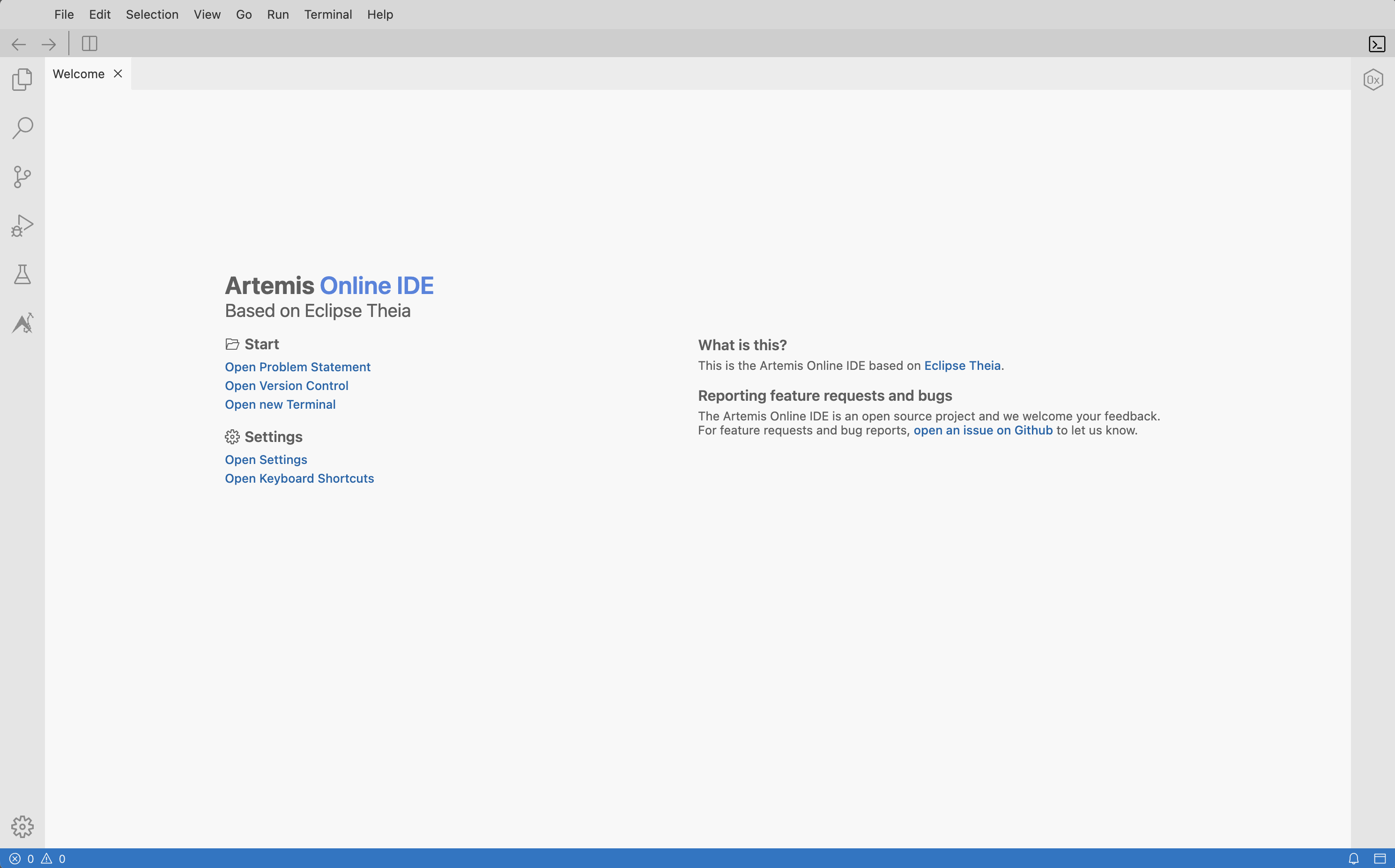
Main areas
- Explorer (left): your files and folders
- Editor (center): where you write code
- Terminal (bottom): compile and run commands
- Problems (bottom): diagnostics and warnings
Useful first action
Open Terminal -> New Terminal.
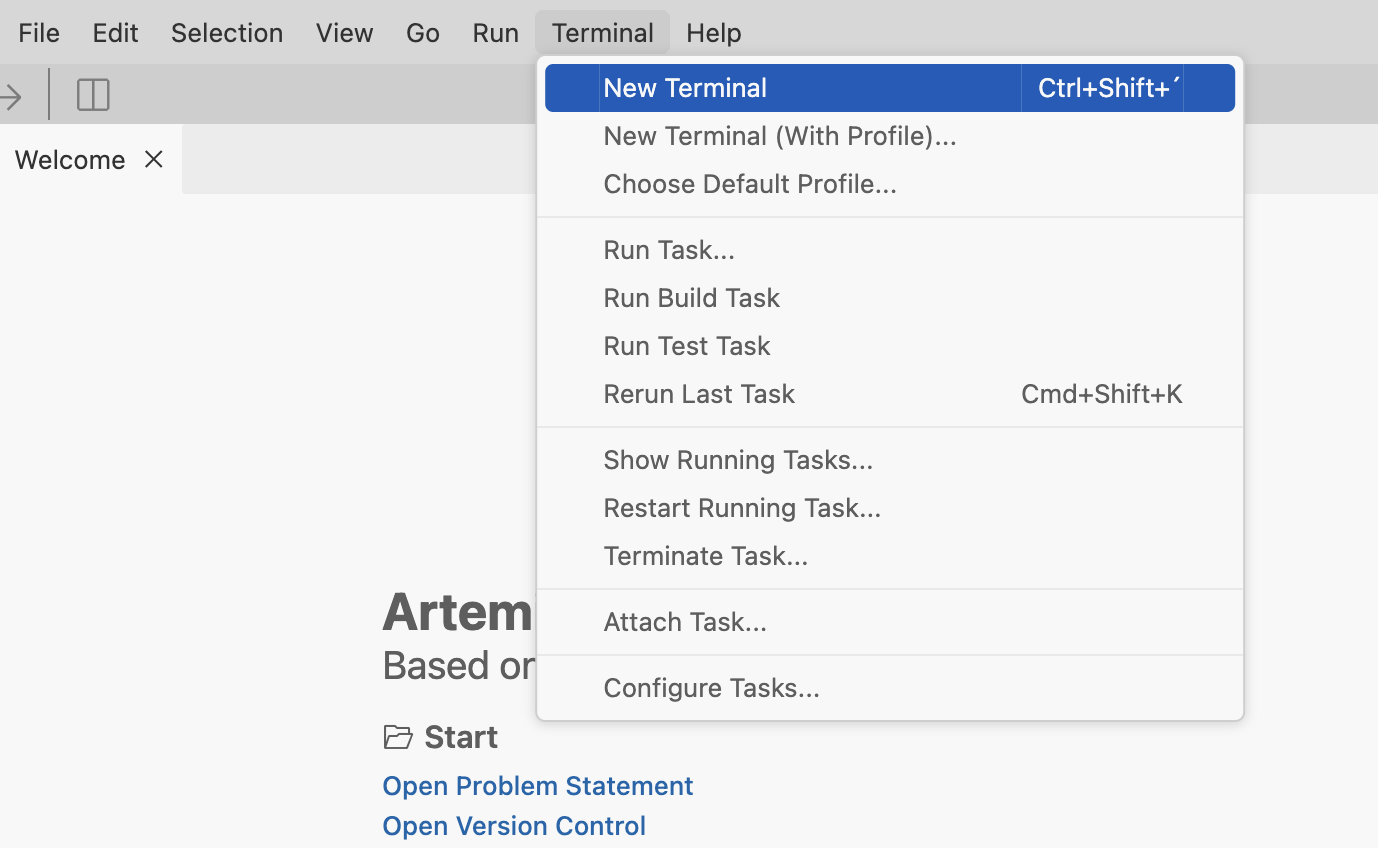
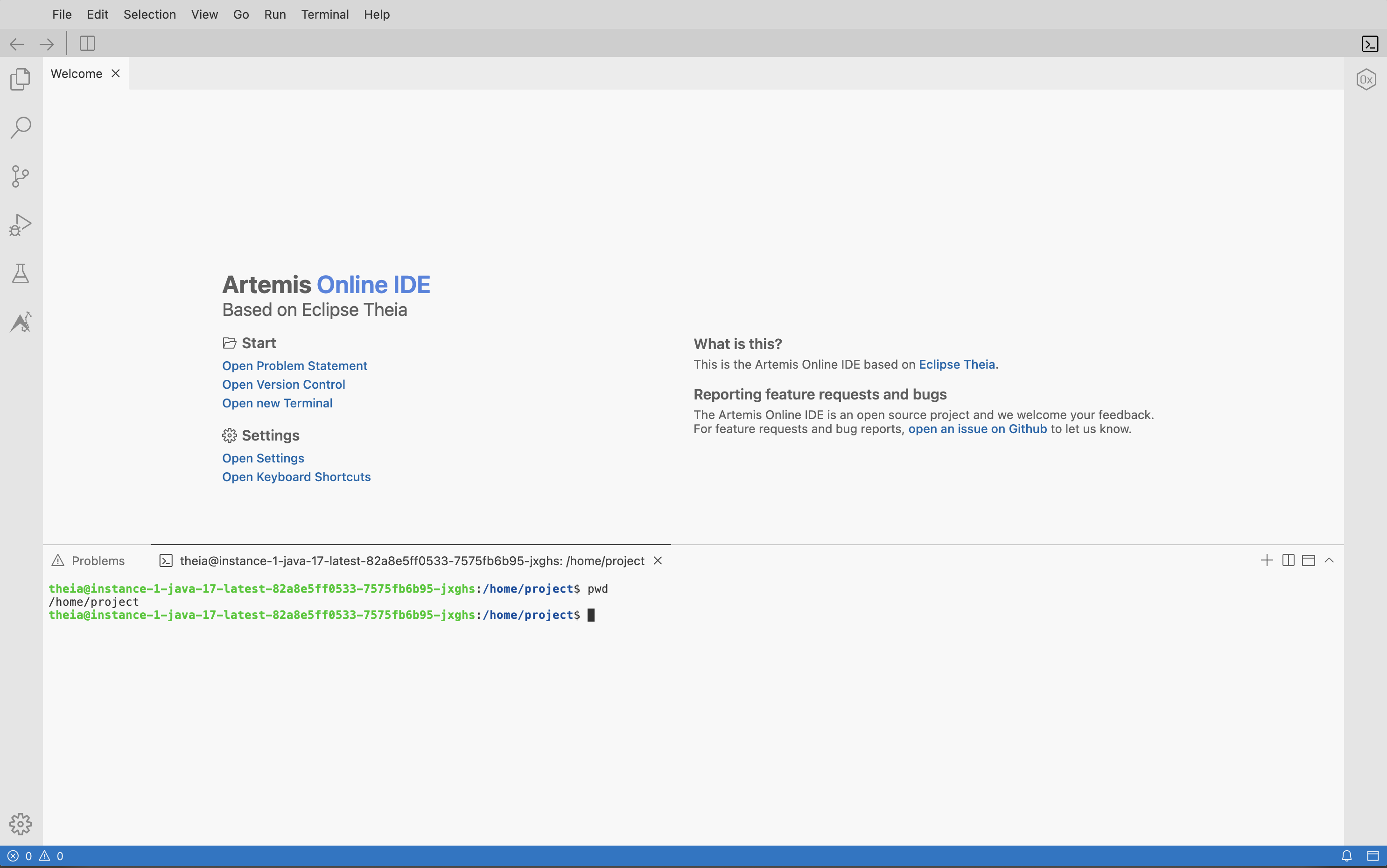
Open the terminal and run:
pwd
You should see your workspace path (usually /home/project).
Next step
Continue with the Assignment Workflow.